Kakobuy Brand Pages vs Sheets for Shoes
Kakobuy Brand Pages vs Sheets for Shoes
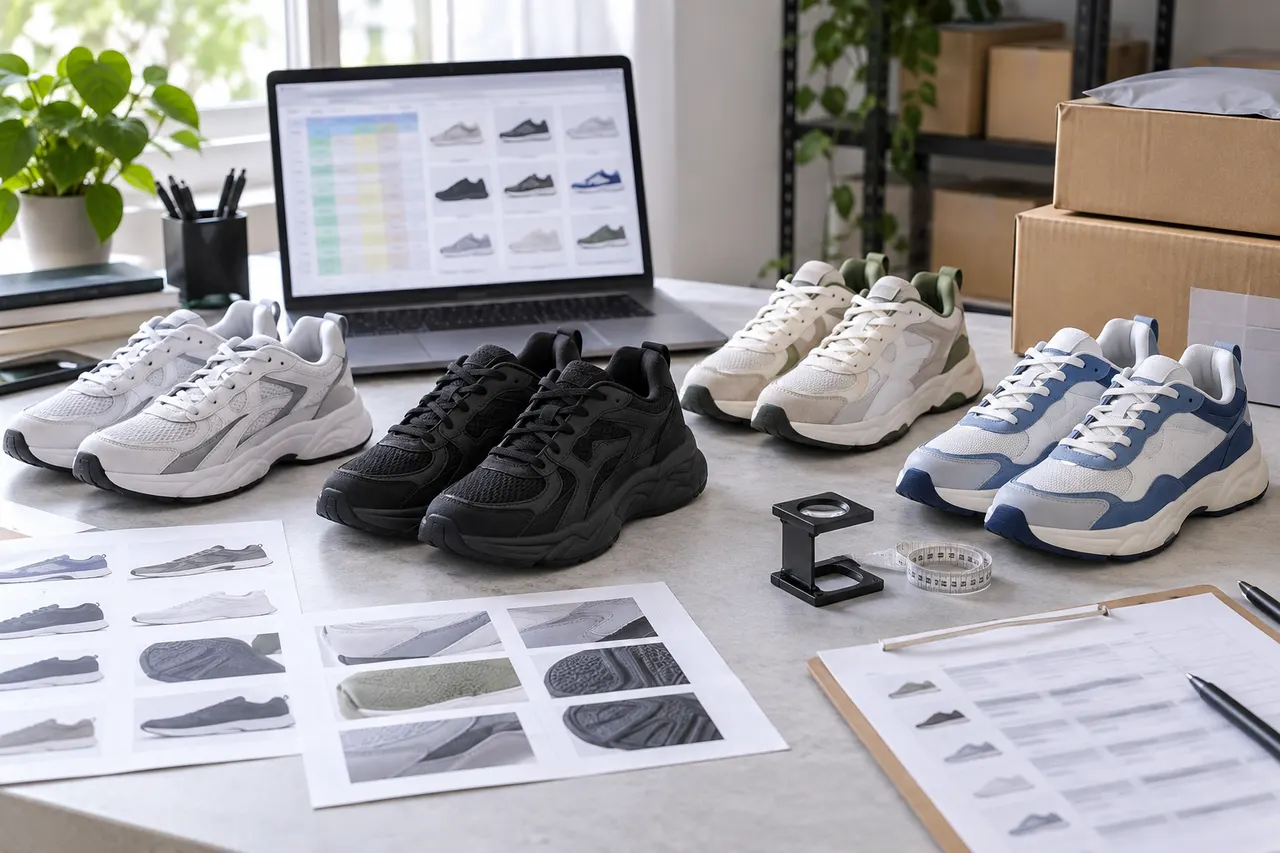
Sneaker proxy shopping is most prone to errors, not because you can't find products, but because there are too many candidates, links come from mixed sources, brand names are written inconsistently, and only before placing the order do you realize that the size, color, seller page, or QC information doesn't match. For buyers using kakobuy, brand pages and Google Sheets shouldn't replace each other: brand pages are good for discovery and initial screening, while Sheets are good for recording, comparing, and maintaining.
This article solves a specific task: you already have several sneaker brands or models you want to look at, and you want to organize them into a candidate list that can be further checked, ordered, or abandoned. This article does not judge whether a certain shoe is authentic, nor does it promise any seller, inventory, price, or logistics time; these all need to be re-verified on the day you plan to order. The platform information in this article was verified on September 9, 2026, and applies to the kakobuy proxy shopping, warehouse inspection, and international shipping context shown on best-kakobuy.com.
First, define the brand browsing task you need to solve
Before you start organizing, don't rush to open a dozen links. A more prudent approach is to first write down the goal of this browsing session: are you looking for a certain brand's low-top running shoes, basketball shoes, retro shoes, or just want to see what comparable candidates exist under the same brand?
An actionable brand browsing task usually includes four elements:
Target brand or brand clue, such as Nike, Adidas, New Balance, or the brand spelling you see in product titles
Target shoe category, such as running shoes, basketball shoes, retro sneakers, training shoes
Information that must be checked, such as size chart, color, outsole, shoe box, seller link, warehouse QC photos
Final action, such as add to candidates, wait for more photos, confirm with customer service, delete link, or prepare to order
If you only have a vague idea like "I want to buy a good-looking pair of sneakers," brand pages can help you broaden your view first; if you already have 20 links, Google Sheets should take over the organizing work. This way you can avoid mixing the discovery phase with the decision phase, which causes duplicate orders or missed risks. 👟
What kakobuy's website spreadsheet brand pages are good for viewing
The website spreadsheet pages on best-kakobuy.com are more suitable for the role of a "discovery entry point." They display candidate products grouped by brand, category, or theme, making it easy to quickly observe which shoe models exist under the same brand, which title patterns recur, and which product cards are worth opening further.
The advantage of brand pages is that they are intuitive. You can use them to observe images, titles, brand categorization, and general style to decide whether a candidate is worth moving to the next step of verification. For first-time sneaker list organizers, this is easier to get into than facing a blank spreadsheet.
But brand pages are not suitable as the final decision basis. The product links, titles, and images on the page can only help you discover candidates; they cannot replace pre-order product page verification, warehouse QC photos, size confirmation, return/exchange window, and international shipping cost estimation. Especially for sneakers, size, colorway, version, box condition, and seller page changes all affect the final decision.
When using brand pages, it is recommended to do only three things:
Identify sneaker candidates that look relevant
Copy key clues from the product page or product card
Give each candidate an initial status, such as "pending size check," "pending QC," "not considering for now"
Do not make a "best buy" conclusion at the brand page stage. Without verifying the product page, price, inventory, return/exchange conditions, and QC photos, such conclusions can easily be misleading.
How to use Google Sheets brand columns for filtering and notes
The value of Google Sheets is to turn candidates from "seen" into "trackable." When the number of candidates exceeds 8 to 10, relying solely on browser tabs usually gets out of control: some links don't open, some titles are similar, some brand names have different capitalization, and some shoe models have been abandoned but remain on the list.
It is recommended to create at least the following columns:
Column name | Purpose | Note method |
|---|---|---|
Brand | Unified brand clue | Use one spelling; mark as pending if uncertain |
Shoe type | Shoe category positioning | Running shoes, basketball shoes, retro shoes, training shoes, etc. |
Product link | Original product link | Keep the full link; avoid saving only images or titles |
Size note | Size notes | Write target size, seller size chart status |
QC status | Warehouse inspection status | Not ordered, pending QC, QC viewed, need more photos |
Decision | Current decision | Candidate, abandoned, pending confirmation, prepare to order |
Don't write the Brand column too casually. For example, don't write "New Balance" sometimes, "NB" other times, and "newbalance" another time. If you're really unsure about the brand clue, leave it blank or write "pending confirmation." Don't guess. The worst thing in sneaker organizing is not blank cells, but turning uncertain information into certain information.
Notes should also serve the next action. For example, "looks good" is not an effective note; "black and white colorway, pending size chart check for size 42" is. The former is just an impression, while the latter guides you to continue processing the next time you open the spreadsheet.
Step-by-step browsing flow from brand pages to product cards
When starting from a brand page, you can follow a simple flow to avoid being carried away by images.
Step 1: Enter the target brand or relevant shoe category page, and only browse products related to this task. For example, if you are only organizing sneakers this time, don't casually add hoodies, bags, and accessories to the same sheet. Mixing categories will make subsequent QC, size, and logistics judgments confusing.
Step 2: When opening a product card, first check whether the title and image match. If the title indicates a certain shoe model but the image shows a clearly different category, mark it as "pending confirmation" first and don't directly add it as a strong candidate.
Step 3: Copy the link and basic information to Sheets. At this point, no need to write a long review; just record brand, shoe type, link, initial reason, and items to check. Leave the judgment to the verification stage.
Step 4: Control the number of candidates. For a single purchase, it's recommended to keep 5 to 12 candidates initially; for long-term maintenance you can have more, but you must use status columns to distinguish priority. Otherwise, the spreadsheet becomes a collection folder rather than a purchasing tool. 📌
Step 5: Before preparing to order, go into the actual kakobuy proxy shopping process to verify costs. According to kakobuy platform information, the total proxy shopping cost usually consists of product cost, domestic shipping in China, international shipping, and customs-related fees; international shipping cost is affected by weight, route, destination, and package situation. Shipping coupons, redemption codes, storage period, and return/exchange services should also be confirmed on the day of ordering, not just relying on old screenshots or notes.
Step-by-step organizing flow from Sheets filtering to candidate list
If you already have a Google Sheet shared by someone else or accumulated by yourself, the flow should be reversed: clean the spreadsheet first, then go back to brand pages or product pages for verification.
First, filter the Brand column. Filter out rows with empty brand, abnormal spelling, or obviously not sneakers. Don't delete them immediately; move them to the "pending confirmation" status first to avoid accidentally deleting valuable products.
Then filter link status. Valid candidates must be able to open, and the page must have a clear product name and enough information to support judgment. If the link redirects to an irrelevant page, doesn't open, only has tags, or doesn't show product information, it should not enter the ordering candidates.
Then filter size and specifications. For sneakers especially, check whether the seller page provides size chart, color options, version notes, and available inventory. A product without size information may not be unbuyable, but it should be marked as "needs confirmation" rather than placed at the same level as confirmed candidates.
Finally, give each row a clear decision:
Keep: brand, link, shoe category, and basic specifications can all be further checked
Pending confirmation: missing size, color, seller description, or QC information
Abandon: link invalid, insufficient information, category mismatch, or risk too high
Prepare to order: product page, size, cost, and return/exchange conditions have been verified
After this organizing, Sheets is not just a link repository, but your purchasing decision panel.
Use one table to compare brand pages, product cards, and Sheets columns
Brand pages, product cards, and Google Sheets each solve different problems. When mixing them, the most important thing is to know what to trust and what not to trust at each step.
Tool location | Best for | Not suitable for | Suggested output |
|---|---|---|---|
Brand page | Discovering sneaker candidates of the same brand | Judging final quality or authenticity | Initial candidate names and links |
Product card | Viewing images, titles, basic clues | Replacing full product page verification | Items to check |
Google Sheets | Filtering, notes, sorting, maintaining status | Proving price, inventory, or logistics still valid | Trackable candidate list |
kakobuy warehouse QC | Checking appearance, quantity, color, size, etc. after arrival | Guaranteeing material, foot feel, or long-term durability | Post-order inspection judgment |
kakobuy's inspection rules mainly cover appearance information such as style, quantity, color, size, and model, and they also check for prohibited items. For shoes, QC photos can help you check the upper, sole, box, label, color, and obvious defects, but they cannot tell you how they feel on your feet, nor can they guarantee long-term durability. Inspection methods for sealed or specially packaged items may also be limited.
Boundaries not to skip when checking QC photos, links, and specifications
After the candidate list is organized, what really affects the outcome is boundary checking. Many buyers mistake "finding the link" for "completing the purchase judgment," but sneaker proxy shopping requires at least four types of information.
First, the link boundary. The product link must still be accessible, and the page information must match the spreadsheet record. If the seller changes the title, replaces the image, or removes the option, the old notes need updating.
Second, the specification boundary. Shoe size, color, version, whether the box is included, and whether there are accessories all need to be rechecked before ordering. Different sellers may use different size labels, so don't just look at the number in the title.
Third, the QC boundary. When QC photos arrive, check them item by item according to "appearance, quantity, color, size, model," not just the first image. If the photo angle is insufficient to judge the shoe label, sole, or obvious defects, you can apply for additional photos within the platform's allowed range or contact customer service to confirm. 🔍
Fourth, the after-sales boundary. According to the provided platform information, kakobuy usually has a 5-day no-reason return/exchange window within 120 hours after arrival, but customized items, restricted items, adult products, intimate clothing, food, and products where you requested the warehouse to remove packaging, tags, or accessories may not be supported. Whether returns/exchanges are actually possible should be based on the platform and product status at the time of ordering.
Do not make false declarations, deliberately underreport, or avoid customs inspection to reduce costs. International shipping also involves destination country taxes, import restrictions, and route conditions, especially for high-value shoes or multiple shoe boxes combined, which require realistic assessment.
Combined usage for single purchase and long-term maintenance
Single purchase and long-term maintenance work differently.
If you are just preparing to buy one pair of shoes, it is recommended to use a lightweight flow: find candidates on brand pages, record 5 to 12 links in Sheets, then gradually narrow down based on size, link status, QC checkability, and total cost. In the end, keep only 1 to 3 strong candidates to avoid slowing down decisions due to too many choices.
If you are long-term tracking multiple sneaker brands, it is recommended to make Sheets a continuously maintained table. Each time you add a new candidate, only fill in necessary fields, don't write long subjective evaluations; update status and date after each verification. This way, after a few weeks you can see which brand pages are worth continuing to view, which links often fail, and which types of shoes always get stuck at size or QC.
Package consolidation should also be calculated per sample. Combining multiple shoes into one package may reduce repeated first weight or operation costs, but it may also increase volumetric weight, package declared value, route restrictions, and single-package loss/damage risk. Splitting packages may increase fixed costs, but it can reduce the problems of oversized single packages or unsuitable routes. Without weight, destination, route, and packaging dimensions, you should not give a universal answer. 📦
Finally, build an order-ready candidate list
When you finish organizing, what you need is not the longest spreadsheet, but a candidate list that supports action. Before a sneaker candidate enters "prepare to order," it should at least meet these conditions:
Brand clue and shoe category have been uniformly recorded
Product link is currently accessible
Product title, image, and specifications have no obvious conflicts
Size, color, version, and box requirements have been noted
Cost structure has been re-estimated based on product cost, domestic shipping in China, international shipping, and possible customs fees
Know which QC photos to look at after arrival, and when the return/exchange window starts
Uncertain items have been marked as pending confirmation, not ignored
This combined method is most suitable for two types of people: one is buyers who only want to buy one or two pairs of shoes but don't want to be confused by a pile of links; the other is people who long-term track sneaker brands and need to maintain a candidate pool.
What it mainly saves is not the price of a single item, but screening time and rework cost. You open fewer duplicate links, add fewer invalid products to the cart, and are more likely to spot problems at the QC stage. The increased risk is: if the spreadsheet is not updated for a long time, old links, old prices, and old inventory will mislead you; if you only look at images on brand pages without checking product pages, you may add inappropriate shoes to candidates.
Situations where this method is not recommended are also clear: if you are in a hurry to pay on the same day and have no time to check size, return/exchange conditions, and route costs, or if you want someone else to guarantee authenticity, quality, and customs results, this method cannot solve those problems. A more prudent approach is to narrow down the number of candidates, verify item by item, and then decide whether to order. ✅
Agent platform shopping FAQ
1. What makes kakobuy prefer its own spreadsheet over Google Sheets?
Google Sheets works fine only for small product lists. As your catalog grows on kakobuy, Google Sheets becomes sluggish and unresponsive, especially on phones where the layout is hard to read and product search is frustrating. kakobuy's website spreadsheet handles the same items with faster loading and a cleaner display.
2. Can you explain what QC photos are on kakobuy?
On every drop-shipping platform like kakobuy, a professional quality control team inspects your items when they reach the warehouse. They take QC photos—usually three per item—and check color, size, specifications, and quantity against your order, as well as any visible defects. For electronics, only the outer appearance is checked. If they find issues like wrong size, wrong color, or quality problems, kakobuy immediately requests a return from the seller, so you receive high-quality goods.
3. Is the spreadsheet website secure when using kakobuy?
The kakobuy spreadsheet website does not gather any personal data; it only functions as a product catalog for the kakobuy agent platform. All purchases and transactions happen on kakobuy itself.
4. How do I find products I want to buy on kakobuy?
You can search kakobuy with one keyword or browse category pages, which also list products by brand. Using longer phrases gives fewer but more precise results than short terms. For instance, search for "Air Force 1 White," "sneakers," or just "Air Force 1" on kakobuy.
5. What should I look at to judge product quality on kakobuy?
Base your judgment on kakobuy's QC photos, not the factory photos, because factory images are often edited. Use the QC photos to see if the product details meet your standards before buying. Also, avoid extremely cheap items on kakobuy, as they usually have poor quality.
Browse our latest products and find your next favorite item.